Antenna Kit C - Yagi 400 MHz
- Mount the omnidirectional antenna. Please refer to the Omnidirectional Antenna section.
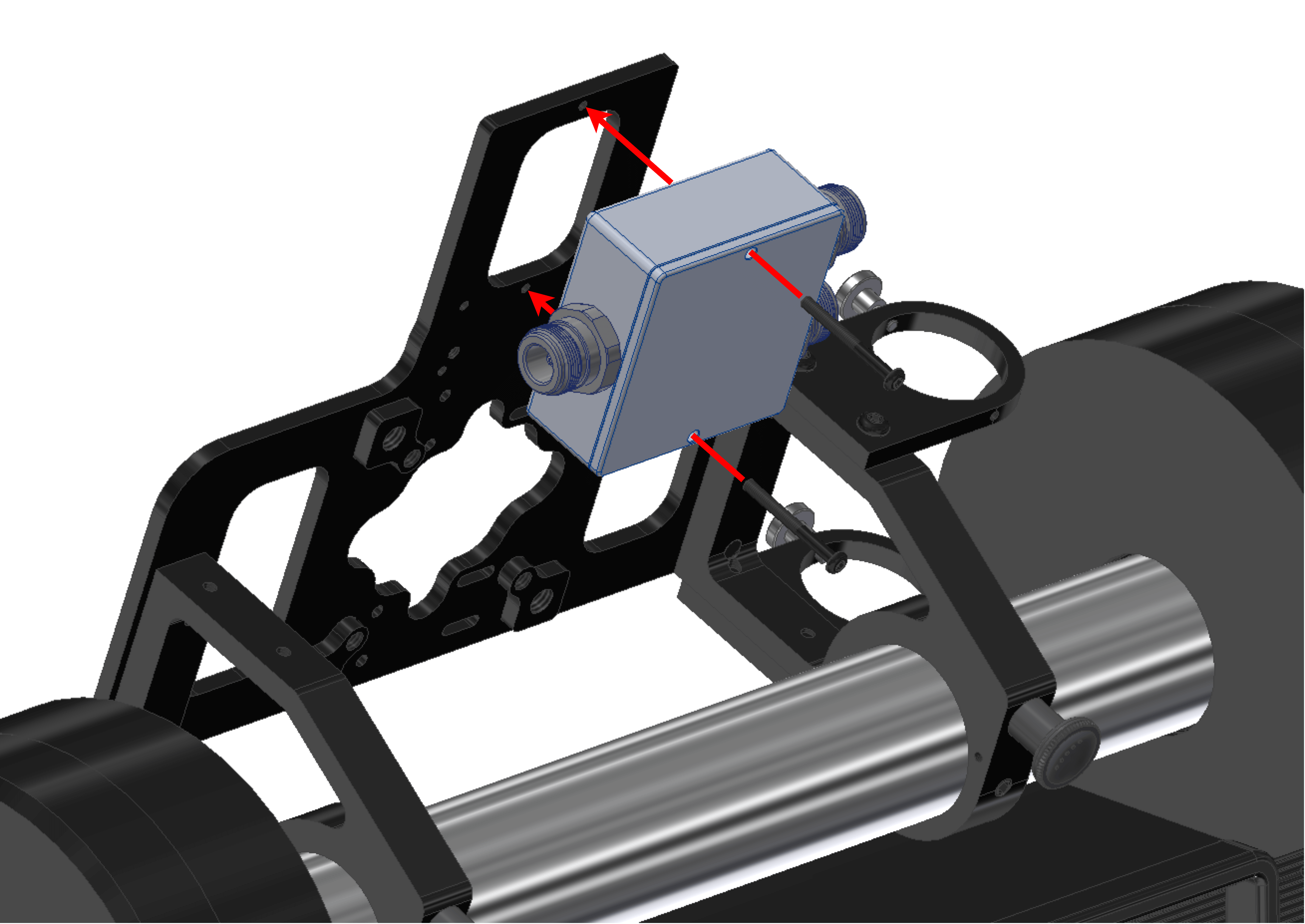
- Screw the splitter to the antenna mount with two screws M3 x 30 mm.
Note
The splitter receives an electrical signal and sends it to two different antennas.
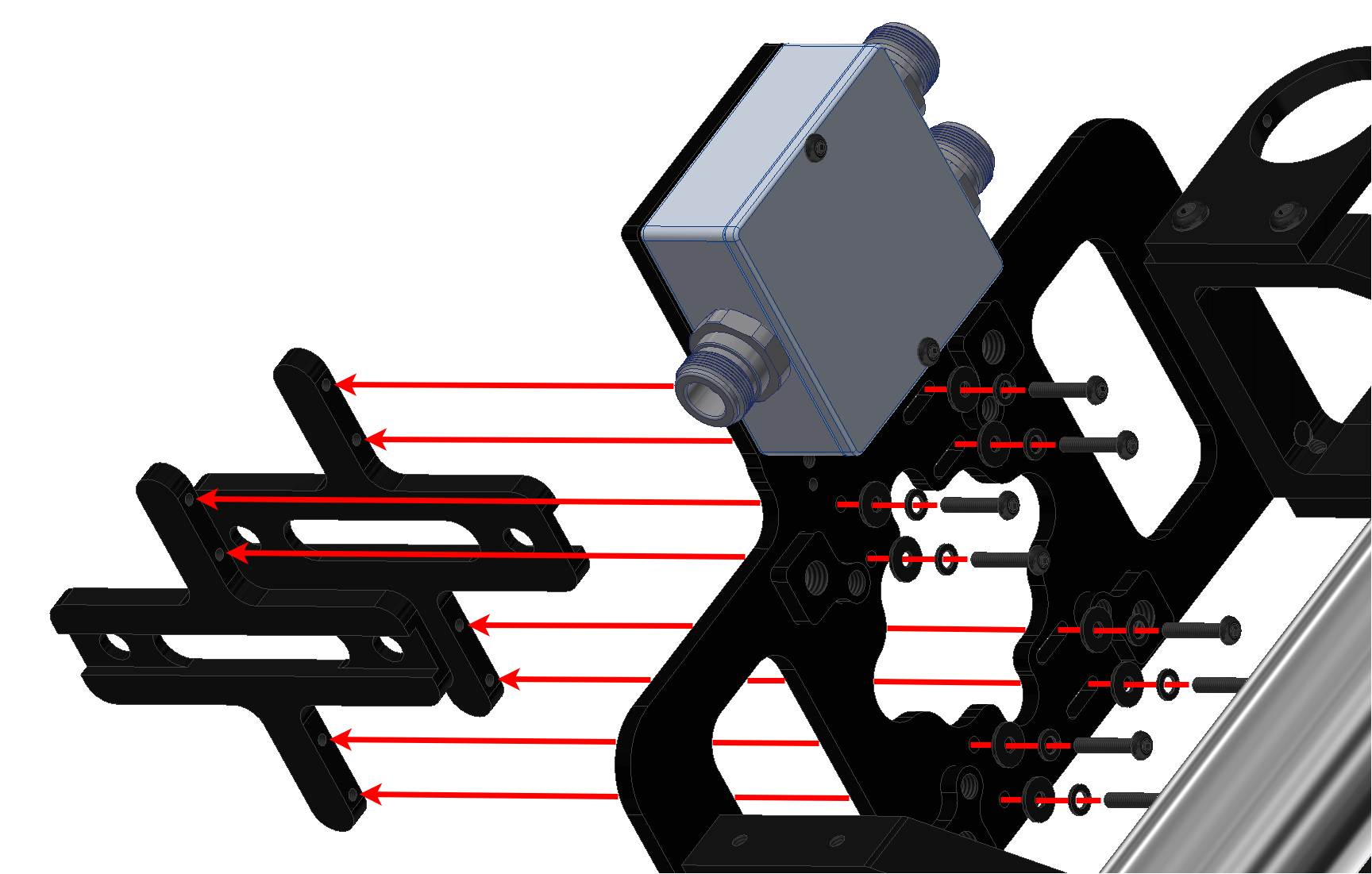
- Attach both adapters for the Yagi antenna with eight screws M3 x 16 mm and their corresponding washers.
Note
The space between adapters can be adjusted according to the width of the antenna.
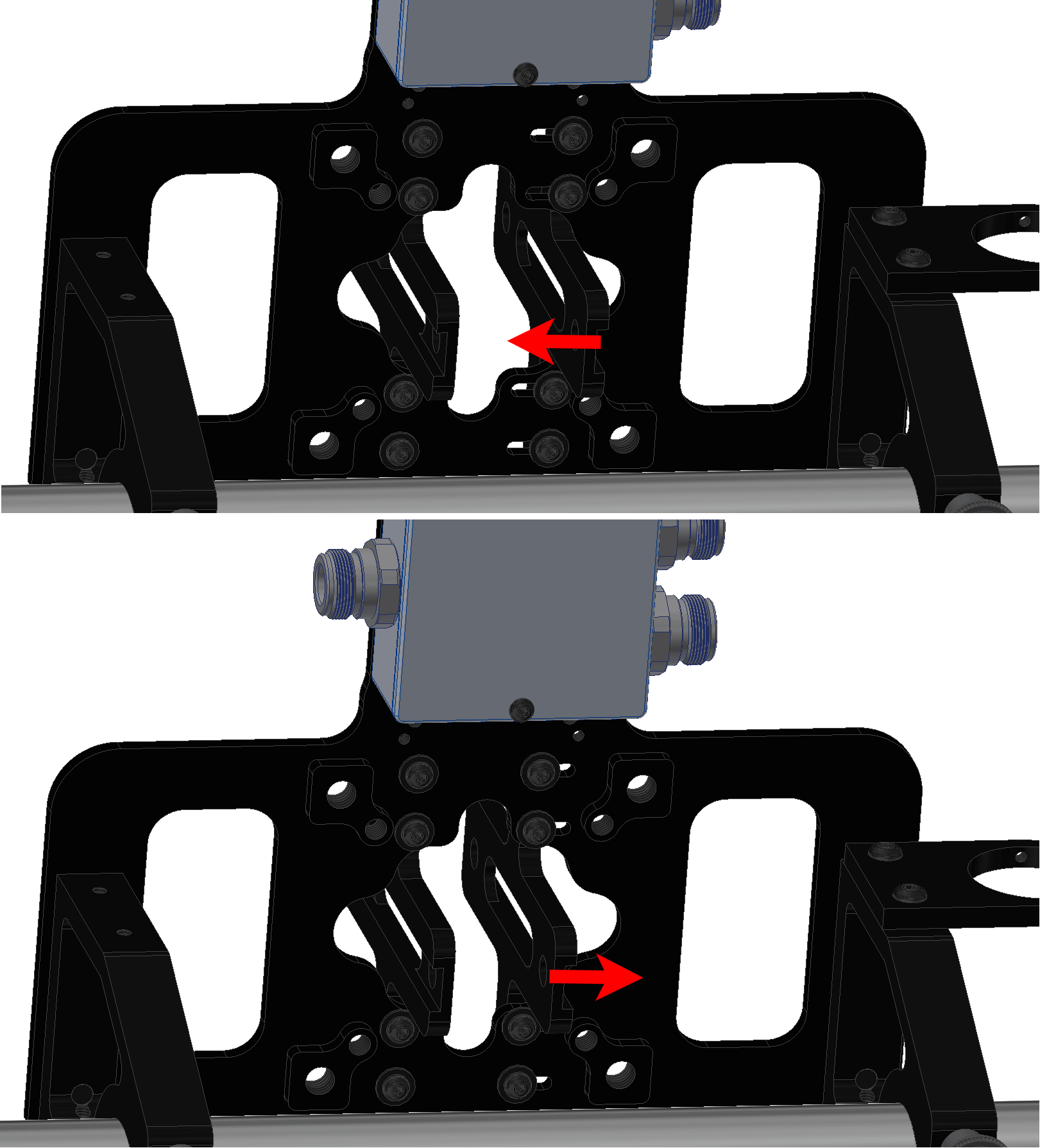
- Insert the Yagi antenna into the adapter according to the polarity. The polarity direction is indicated by an arrow on the antenna.
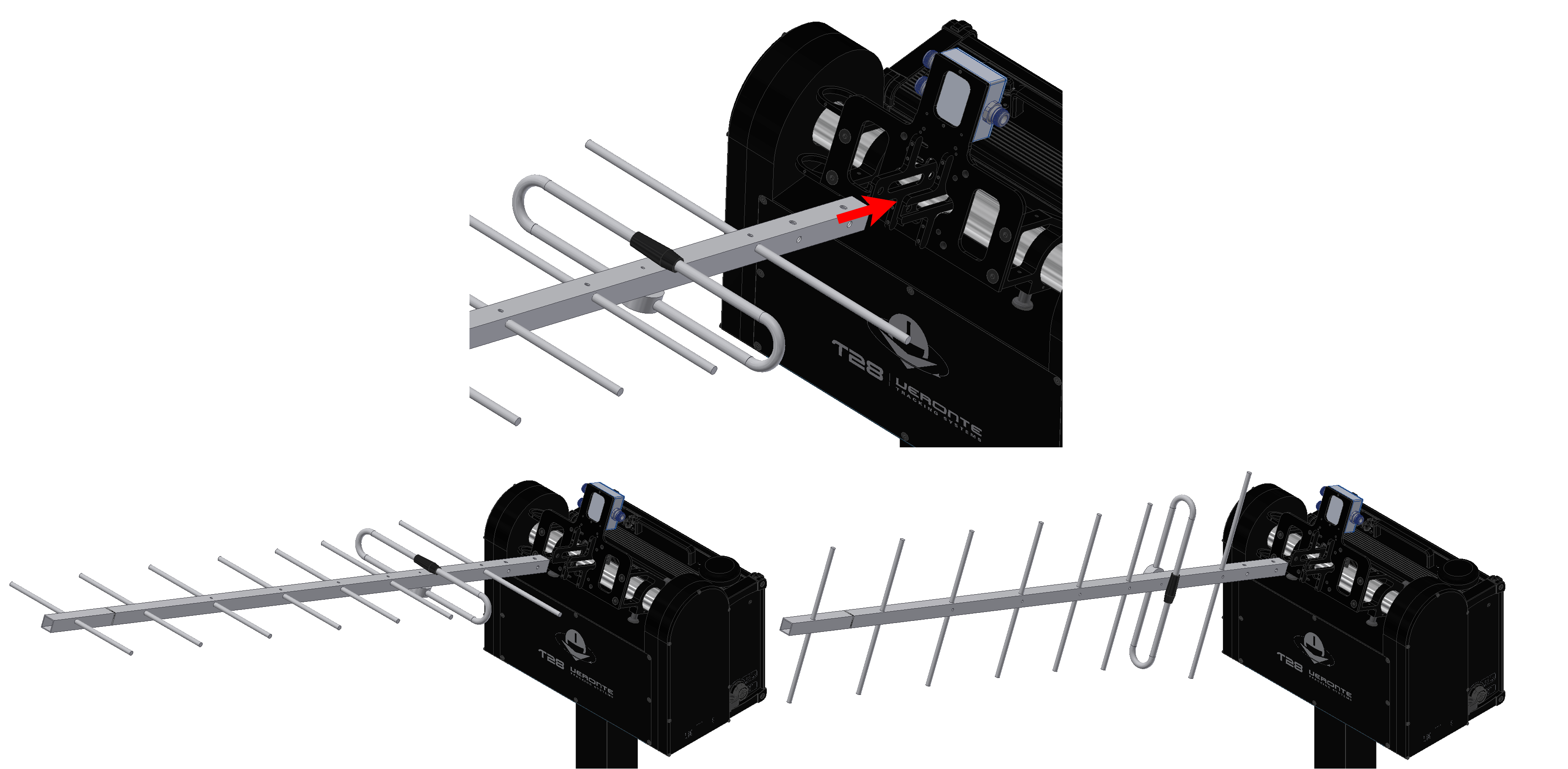
- Screw the Yagi antenna to the adapters with two screws M6 x 45 mm and their corresponding knobs.
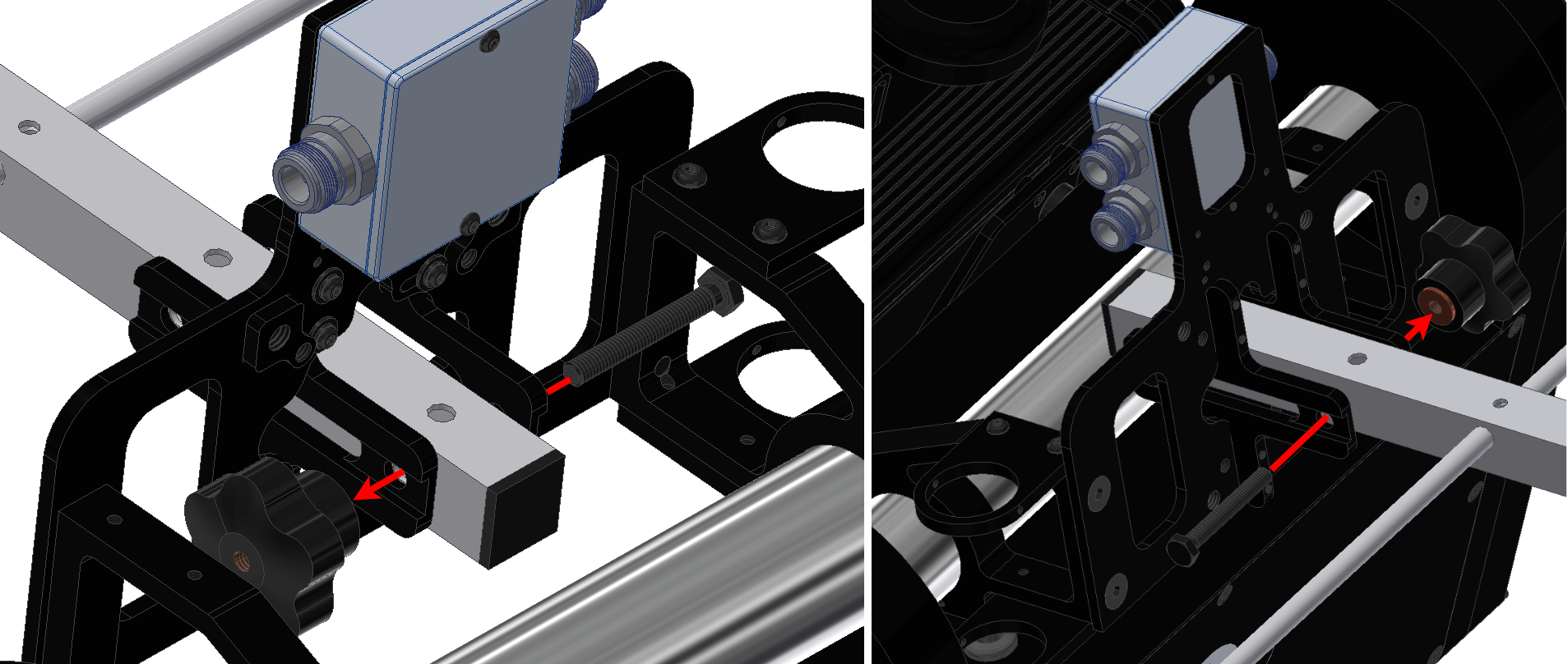
- Connect each plug of the splitter.
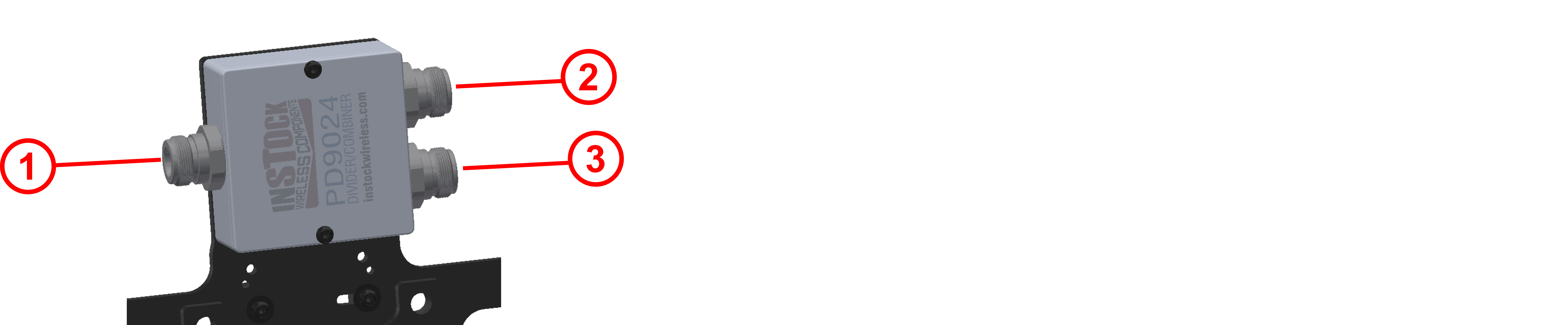
| 1 | Port RF2 of PCS |
| 2 | Omnidirectional antenna |
| 3 | Yagi antenna |
© 2026 Embention. All rights reserved.