Operation
Once the installation is finished, open 1x PDI Tuning
Authentication is required before any operation.


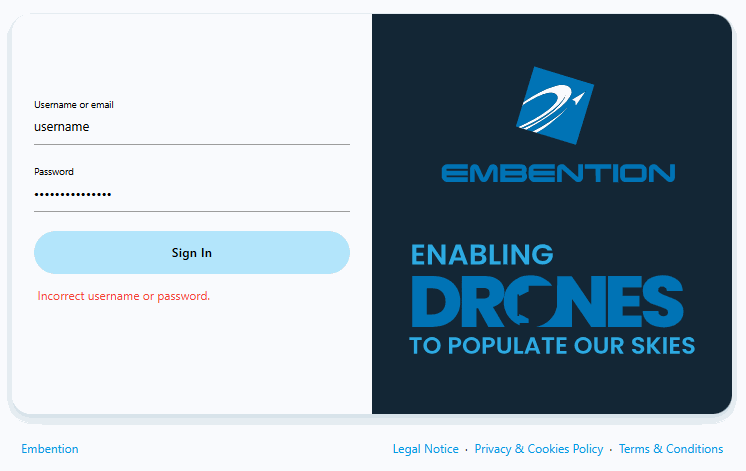
After clicking Sign in, a new window will open for users to enter their credentials. If users do not have credentials, do not know what they are or have any problems logging in with them, please contact the support team via the Joint Collaboration Framework opening a Ticket or contact sales@embention.com.
If the login is successful, the screen will change as shown below:

Warning
If incorrect credentials are entered, the system will display the error message Incorrect username or password.
After logging in, select the unit.

Warning
If no unit is connected, e.g. when working offline, it is not possible to access the menus of the 1x PDI Tuning software.

If it is correctly connected, it should appear in Normal mode as shown in the following figure.

Note
- 1x unit can also appear as: Maintenance mode, Maintenance mode (loaded with errors) or Normal mode - Disconnected.
- Maintenance mode (loaded with errors) appears when something is wrong in the configuration.
The user can now access the software by clicking on 'Open menu'. Then, the following window will be displayed:

-
Select button: After choosing the PID block to be 'tunned', click here to adjust its gains.
The tuning procedure is detailed in the Tuning - Operation section of this manual.
Note
If no PID block has been chosen, this button remains disabled.
-
Access command history button: This displays a panel where users can consult a history of the gains that have been commanded during the tuning procedure.

History panel To make it easier and quicker for the user to identify each record, the history has 4 columns.
Each column gives the following information:
- Timestamp: Indicates the day and the time the change was made.
- Id: This is the indentifier of the block.
- Block: The type of the PDI block, it can be PID Static or Tsched PID.
- Command Type: The type of command sent to the Autopilot 1x → PID gain change. For more information on this command, see Tuning - Operation section of this manual.
To access the gains commanded in the register, just double click on the register or select it and then click on the
 icon.
icon. -
Export configuration button: By clicking on it, the current Blocks configuration saved in the Veronte Autopilot 1x will be stored in the selected folder.

Exported configuration - PDI file