Integration examples
Remote ID
First of all, the internal Remote ID of the Veronte Autopilot 1x has to be configured. This section details how to do it:
-
Open Veronte Updater → go to Remote ID tab → select Configure Remote ID option:
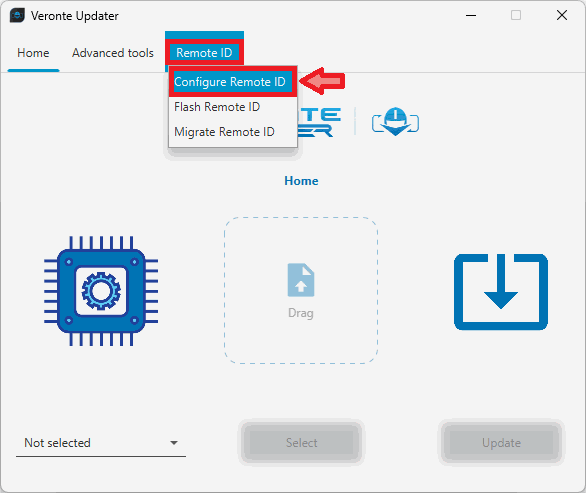
Remote ID - Configure Remote ID -
Select the unit and Veronte Updater will load the internal Remote ID information from the connected device:
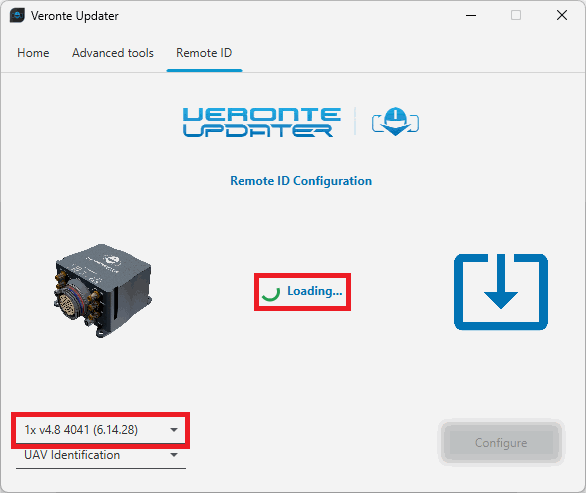
Remote ID - Remote ID information loading -
Once the information has been loaded, users must configure the 4 different settings:
- UAV Identification
- UAV Description
- UAV Classification
- UAV Operator ID
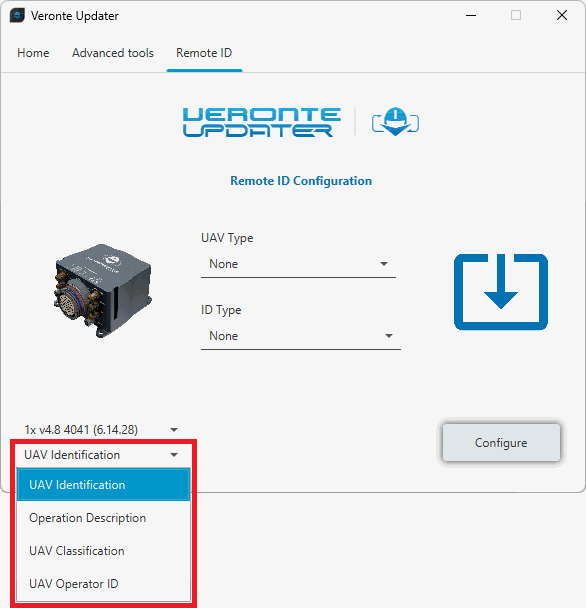
Remote ID - Remote ID settings For detailed information on these settings, please refer to the Configure Remote ID - Operation section of this manual.
-
Once the configuration is complete, click Configure to start the process.
© 2026 Embention. All rights reserved.