Remote ID
Configure Remote ID
Warning
THIS IS NOT PART OF THE UPGRADE PROCESS.
In this panel, the Remote ID of the connected Autopilot 1x is configured.
Note
This panel only applies to Veronte Autopilots 1x with Remote ID.
There are different settings:
-
UAV Identification
- UAV Type: Select between the options the type of the platform.
- ID Type: Select the type of ID that will appear in external Remote ID applications.
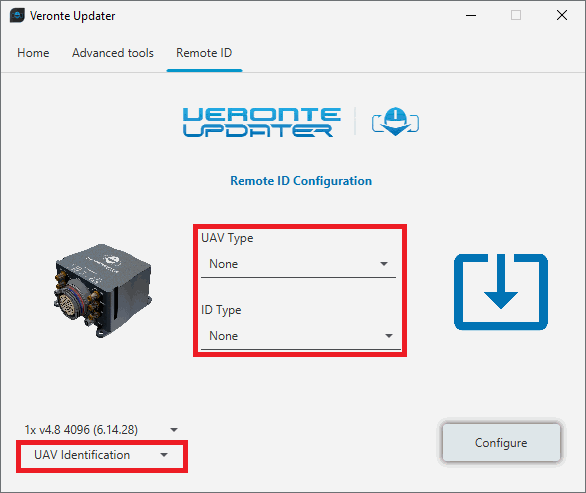
Configure Remote ID - UAV Identification -
Operation Description
Users can write a brief description of the mission. It is optional and its maximum length is 23 bytes.
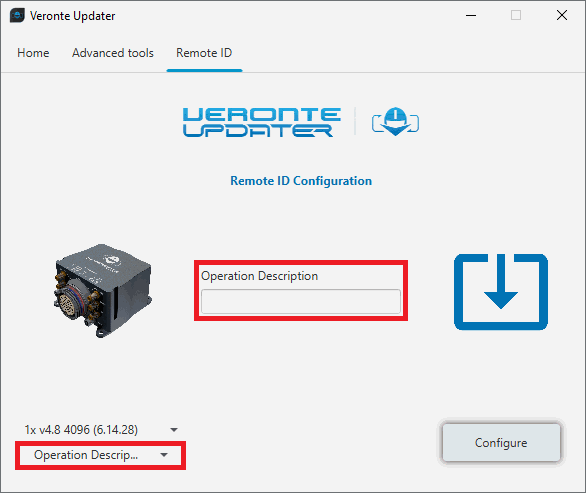
Configure Remote ID - Operation Description -
UAV Classification
Define the three classifications of the aircraft:
- Region where the aircraft will fly.
- Risk classification according to EASA:
- Open: Low risk. LOS with an operator is required, it must be at safe distances from airports and flights over crowds are not allowed.
- Specific: Increased risk. Approval is required by the National Aviation Authority, which is based on the Specific Operations Risk Assessment.
- Certified: High risk. Regulations similar to manned aviation, with approval for all the systems employed.
- Open category defined by EASA.
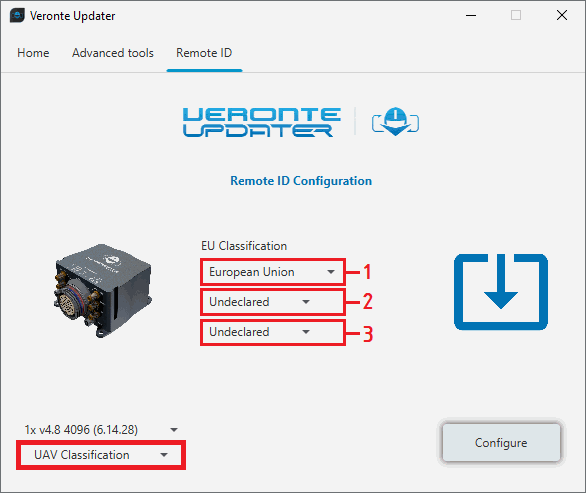
Configure Remote ID - UAV Classification -
UAV Operator ID
Enter the Operator ID of the user.
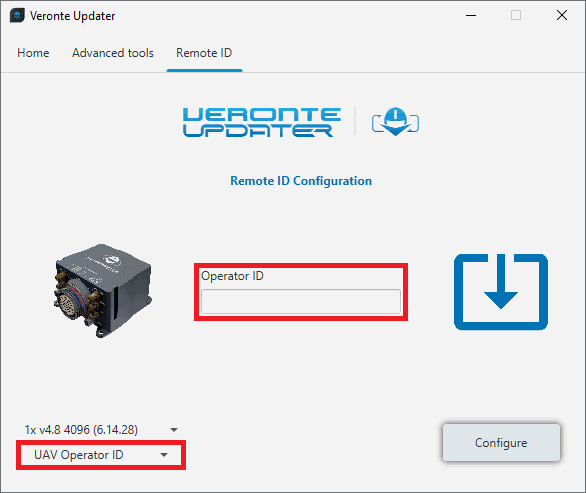
Configure Remote ID - UAV Operator ID -
Once the configuration has been finished, click on Configure to upload the configuration to 1x.
For more information about this product, please contact sales@embention.com.
Flash Remote ID
Warning
THIS IS NOT PART OF THE UPGRADE PROCESS.
With this option, users can update the Remote ID product.
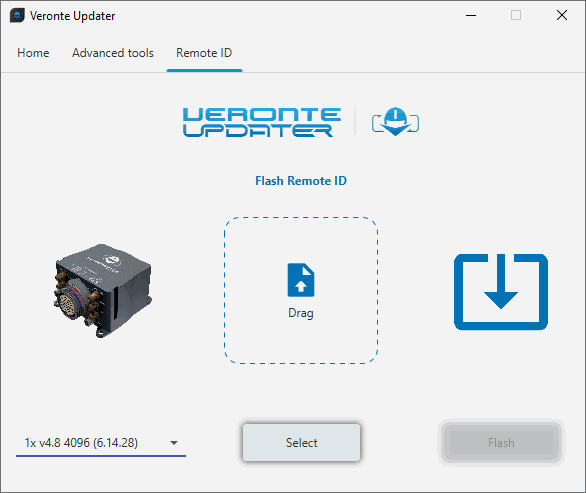
Load the .bin file. There are two ways to do this, dragging the file to the Drag area or by using the Select button.
The latter option will open the following browser to select the .bin file stored in the user's local storage:
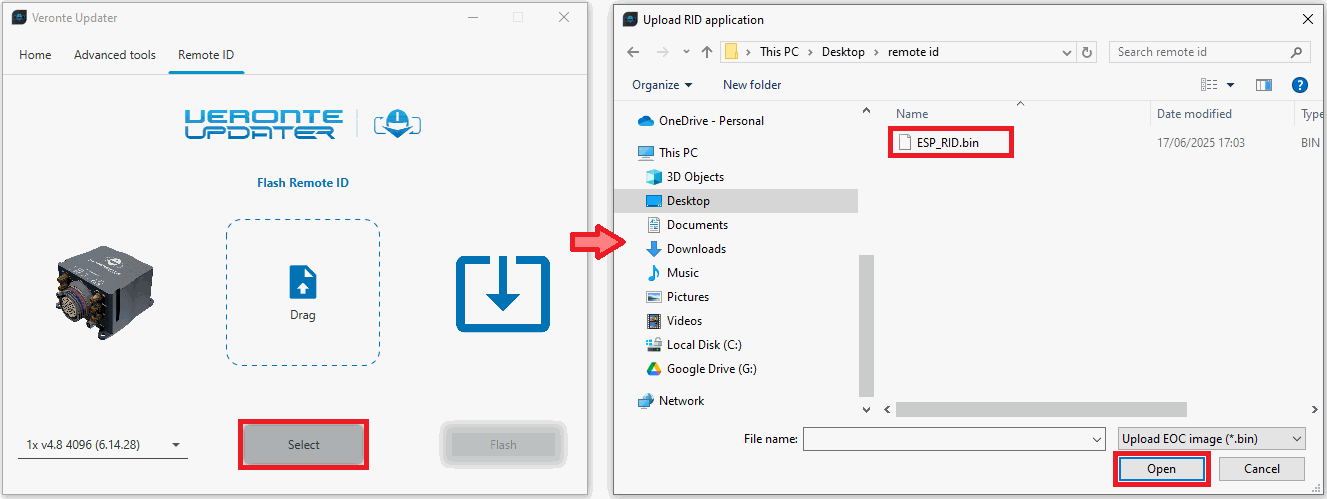
Once the .bin file is loaded, click on Flash to start the process.
For more information about this product, please contact sales@embention.com.
Migrate Remote ID
Warning
THIS IS NOT PART OF THE UPGRADE PROCESS.
This panel provides support for migrating the internal Remote ID module from the old version to the new one.
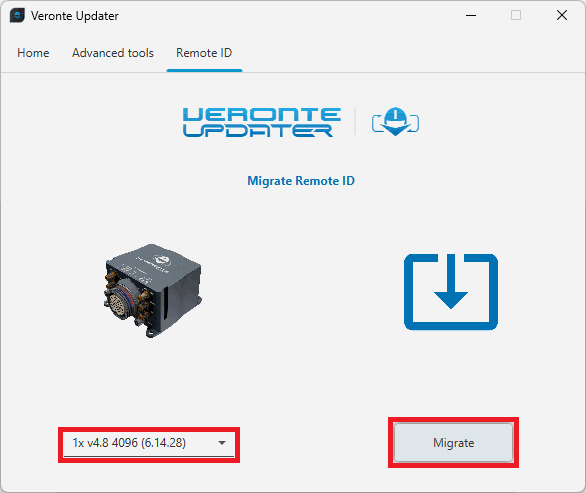
Click on Migrate to start the process.
© 2025 Embention. All rights reserved.