Vehicle
Lights
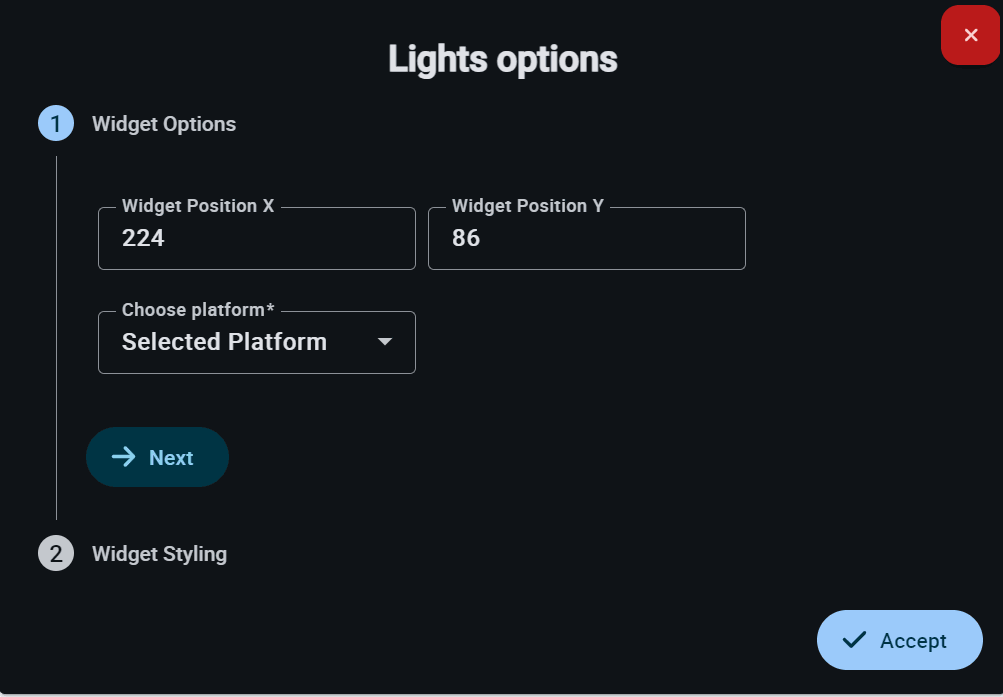
The Lights Options menu allows the user to configure the position and data source for the lighting system widget.
Engine Command
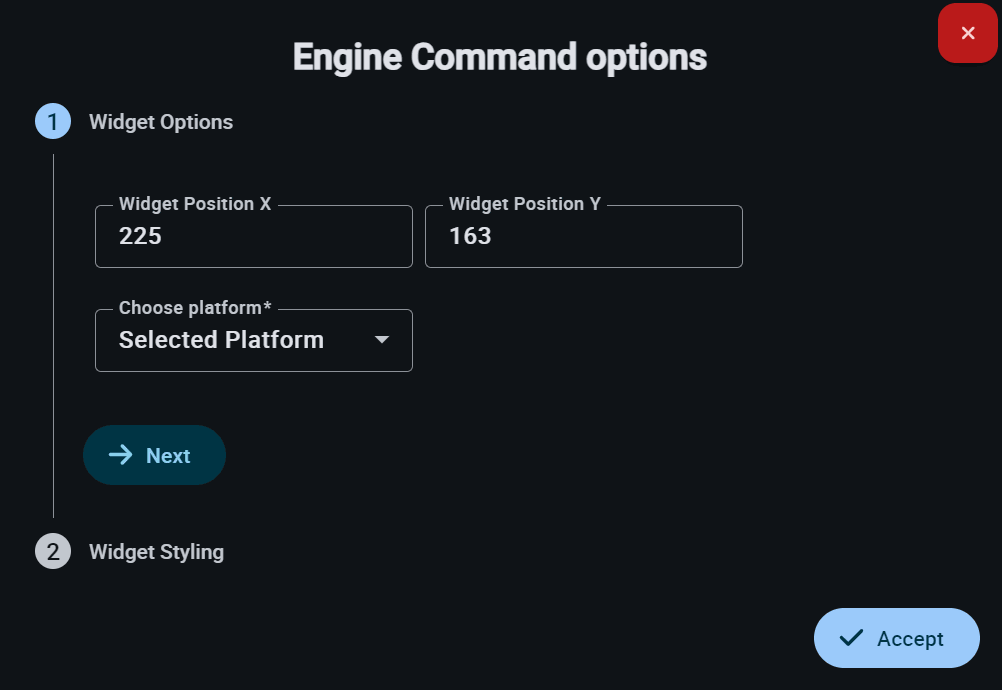
Engine Command allows the operator to configure the location and data source for the engine control widget on the display.
Battery Report
The Battery Report Options menu enables the operator to configure the monitoring of the system's power parameters on the display.
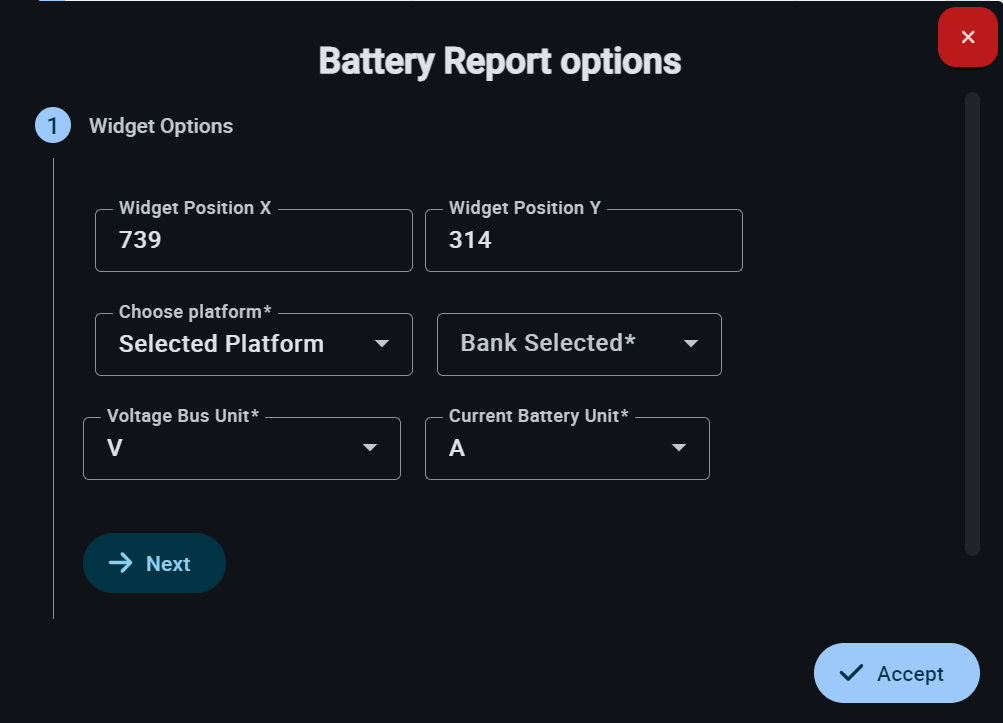
This widget has extra edit parameters compared to the ones described in the Widgets common configuration.
-
Bank Selected: Allows the user to select which bank or battery pack to monitor, in case the system features multiple independent units.
-
Voltage Bus Unit: Defines the measurement unit for the system's bus voltage in V or mV.
-
Current Battery Unit: Defines the measurement unit for the current delivered by the battery in A or mA.
Tanks Status
Tanks Status options allows the operator to configure the monitoring of onboard tanks (fuel or other liquids) on the Display.
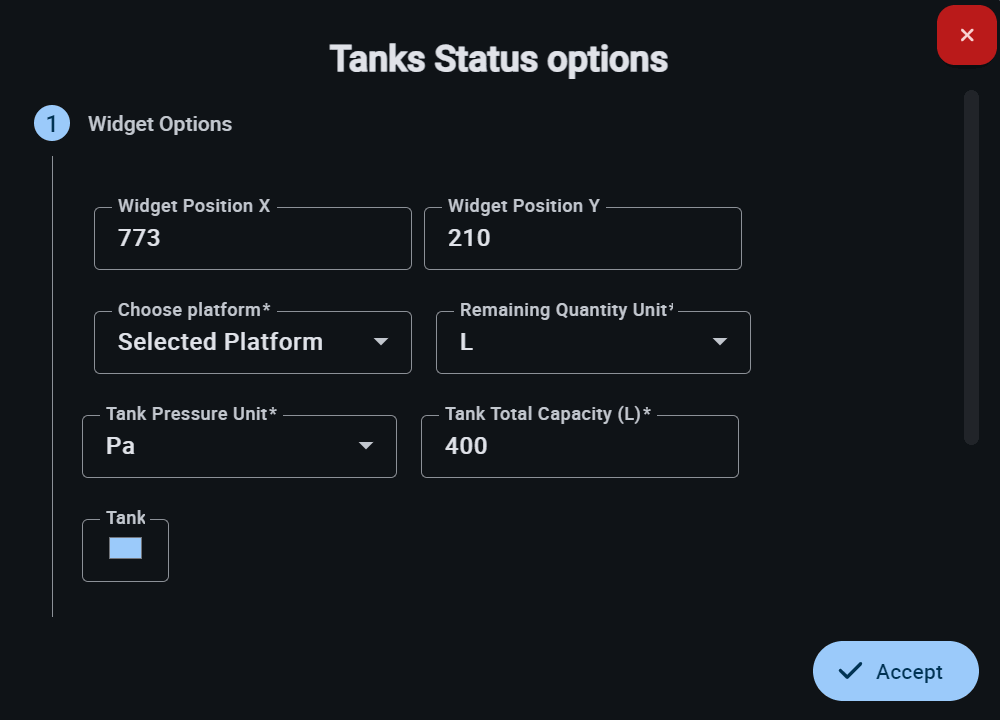
This widget has extra edit parameters compared to the ones described in the Widgets common configuration.
-
Remaining Quantity Unit: Defines the measurement unit for the remaining liquid quantity.
-
Tank Pressure Unit: Specifies the measurement unit for the tank's internal pressure.
-
Tank Total Capacity (L): Indicates the total maximum capacity of the tank expressed in liters.
-
Tank: Allows the user to select the representative color for the tank in the graphic interface.
Vehicle Auxiliary
Vehicle Auxiliary options menu enables the user to configure the display of the vehicle's auxiliary data.
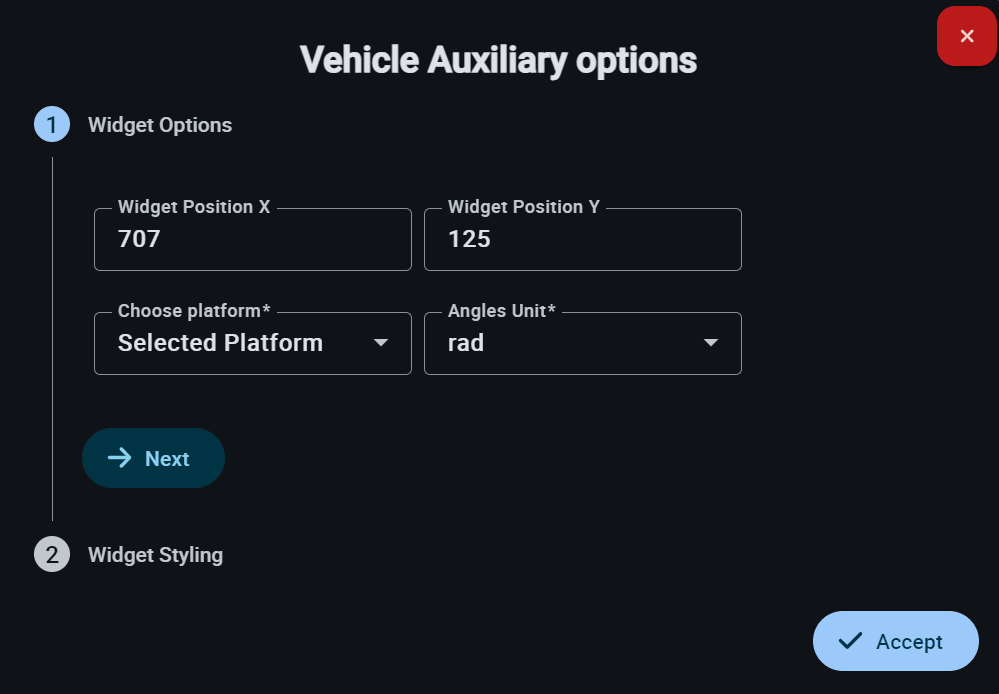
This widget has extra edit parameters compared to the ones described in the Widgets common configuration.
- Angles Unit: Defines the measurement unit for auxiliary angles on the display.
© 2026 Embention. All rights reserved.